
DataTable
DataTable is a schema-driven table powered by TanStack Table. It wraps Table and renders headers and rows from a column schema and data array.
When to use DataTable vs Table
Use DataTable when you have a columns + data model and want the library to drive headers, rows, client- or server-side sorting and pagination, and built-in selection or expansion. Use Table when you need full control over layout with #head and #body slots (custom header/cell structure, non-tabular rendering, or integration patterns that don’t fit a column schema). See Table for slot-based examples.
Overview
This example shows DataTable with column pinning (product name left, actions right), column reorder (drag the grip on eligible, non-pinned headers), column visibility (Columns menu—columnVisibility is persisted with columnOrder in the same localStorage key), client-side sorting (click a header with sort carets), pagination (25 rows, 5 per page via initialState.pagination.pageSize), and row selection (checkboxes). v-model:column-ui persists to localStorage under stash-docs-data-table-overview. See the sections below for API detail (e.g. Column visibility, Column reorder, Column pinning, DataView for server-driven mode).
Product Name | Brand | Category | Price per unit | Strain | Actions | |
|---|---|---|---|---|---|---|
 Citrus Splash 2x50mg THC Gummies Citrus Splash 2x50mg THC Gummies | True North Collective | Edibles & Ingestibles | $2.50 | |||
 Rabbit Hole 1 lb bag Rabbit Hole 1 lb bag | MJ Verdant | Flower | $2,800.00 | Hybrid | ||
 THC-A Crystalline Rings | GMO THC-A Crystalline Rings | GMO | Kola Farms | Concentrates | $10.00 | |||
 Seed Junky Purple Push Pop 3.5g Seed Junky Purple Push Pop 3.5g | Seed Junky | Flower | $20.00 | Hybrid | ||
 GUSH-MINTS 19-23% 1.4% TERPENES GUSH-MINTS 19-23% 1.4% TERPENES | Agronomos | Flower | $1,400.00 | Indica Hybrid |
<script setup lang="ts">
  import Box from '@packages/vue/src/components/Box/Box.vue';
  import Button from '@packages/vue/src/components/Button/Button.vue';
  import {
    createColumnHelper,
    type DataTableColumnUiState,
    type VisibilityState,
  } from '@packages/vue/src/components/DataTable';
  import DataTable from '@packages/vue/src/components/DataTable/DataTable.vue';
  import DataTableColumnVisibility from '@packages/vue/src/components/DataTableColumnVisibility/DataTableColumnVisibility.vue';
  import IconLabel from '@packages/vue/src/components/IconLabel/IconLabel.vue';
  import type { ProductFixture } from '@packages/vue/src/components/Table/Table.fixtures';
  import { getProducts } from '@packages/vue/src/components/Table/Table.fixtures';
  import { money } from '@packages/vue/src/utils/i18n';
  import { computed, h, ref, useTemplateRef, watch } from 'vue';

  /** Documented in `data-table.md` overview: `columnOrder`, `columnVisibility`, etc. */
  const DATA_TABLE_OVERVIEW_STORAGE_KEY = 'stash-docs-data-table-overview';

  function loadColumnUiFromStorage(): DataTableColumnUiState {
    if (typeof window === 'undefined' || typeof localStorage === 'undefined') return {};
    try {
      const raw = localStorage.getItem(DATA_TABLE_OVERVIEW_STORAGE_KEY);
      if (raw == null || raw === '') return {};
      const parsed = JSON.parse(raw);
      if (parsed == null || typeof parsed !== 'object' || Array.isArray(parsed)) return {};
      return parsed;
    } catch {
      return {};
    }
  }

  const products = computed(() => getProducts().slice(0, 25));
  const dataTableRef = useTemplateRef('dataTableRef');
  const selectedCount = computed(() => dataTableRef.value?.table.getSelectedRowModel().rows.length ?? 0);
  const selectedItems = computed(
    () => dataTableRef.value?.table.getSelectedRowModel().rows.map((row) => row.original) ?? [],
  );

  const columnHelper = createColumnHelper<ProductFixture>();

  const columns = [
    columnHelper.accessor('name', {
      id: 'product_name',
      header: 'Product Name',
      cell: (info) =>
        h('div', { class: 'flex items-center' }, [
          h('img', { src: info.row.original.featured_image, width: 40, class: 'rounded mr-2' }),
          info.getValue(),
        ]),
      size: 220,
      minSize: 220,
      enableHiding: false,
    }),
    columnHelper.accessor((row) => row.brand.name, {
      id: 'brand',
      header: 'Brand',
      minSize: 120,
      meta: { reorderable: true },
    }),
    columnHelper.accessor((row) => row.category.name, {
      id: 'category',
      header: 'Category',
      minSize: 140,
      meta: { reorderable: true },
    }),
    columnHelper.accessor('price_per_unit', {
      id: 'price_per_unit_amount',
      header: 'Price per unit',
      cell: (info) => money(info.getValue()),
      minSize: 110,
      meta: { reorderable: true },
    }),
    columnHelper.accessor('strain_classification', {
      id: 'strain_classification',
      header: 'Strain',
      enableSorting: false,
      minSize: 90,
      meta: { reorderable: true },
    }),

    columnHelper.accessor((row) => row.id, {
      id: 'actions',
      header: 'Actions',
      cell: () =>
        h('div', { class: 'flex items-center gap-1' }, [
          h(Button, { iconLabel: true }, () => h(IconLabel, { stacked: true, icon: 'trashcan' }, () => 'Delete')),
          h(Button, { iconLabel: true }, () => h(IconLabel, { stacked: true, icon: 'edit' }, () => 'Edit')),
        ]),
      enableSorting: false,
      enableHiding: false,
      minSize: 135,
    }),
  ];

  const initialState = {
    columnPinning: {
      left: ['product_name'],
      right: ['actions'],
    },
    pagination: {
      pageSize: 5,
    },
  };

  const columnUi = ref<DataTableColumnUiState>(loadColumnUiFromStorage());

  const columnVisibility = computed<VisibilityState>(() => columnUi.value.columnVisibility ?? {});

  const tableForVisibility = computed(() => dataTableRef.value?.table ?? null);

  watch(
    columnUi,
    (v) => {
      if (typeof localStorage === 'undefined') return;
      try {
        localStorage.setItem(DATA_TABLE_OVERVIEW_STORAGE_KEY, JSON.stringify(v));
      } catch {
        // QuotaExceeded, private mode, etc.
      }
    },
    { deep: true },
  );
</script>

<template>
  <div class="flex flex-col gap-2">
    <Box>
      <div class="flex flex-wrap items-start justify-between gap-3">
        <div>
          Selected: {{ selectedCount }} —
          {{ selectedItems.length ? selectedItems.map((item) => item.name).join(', ') : 'none' }}
        </div>
        <DataTableColumnVisibility :table="tableForVisibility" :column-visibility="columnVisibility" />
      </div>
    </Box>

    <DataTable
      ref="dataTableRef"
      v-model:column-ui="columnUi"
      :columns="columns"
      :data="products"
      is-selectable
      :get-row-id="(row) => String(row.id)"
      :initial-state="initialState"
    />
  </div>
</template>
Minimal example
For a smaller table without pinning, reorder, pagination volume, or selection, pass columns and data only. This example uses get-row-accent-color to highlight rows 2 and 4.
Product Name | Brand | Category | Price per unit | Strain |
|---|---|---|---|---|
| Citrus Splash 2x50mg THC Gummies | True North Collective | Edibles & Ingestibles | $2.50 | |
| Rabbit Hole 1 lb bag | MJ Verdant | Flower | $2,800.00 | Hybrid |
| THC-A Crystalline Rings | GMO | Kola Farms | Concentrates | $10.00 | |
| Seed Junky Purple Push Pop 3.5g | Seed Junky | Flower | $20.00 | Hybrid |
| GUSH-MINTS 19-23% 1.4% TERPENES | Agronomos | Flower | $1,400.00 | Indica Hybrid |
<script setup lang="ts">
  import type { StashColorNamesWithShades } from '@leaflink/stash-types/colors';
  import { createColumnHelper } from '@packages/vue/src/components/DataTable';
  import DataTable from '@packages/vue/src/components/DataTable/DataTable.vue';
  import type { ProductFixture } from '@packages/vue/src/components/Table/Table.fixtures';
  import { getProducts } from '@packages/vue/src/components/Table/Table.fixtures';
  import { money } from '@packages/vue/src/utils/i18n';
  import { computed, h } from 'vue';

  const products = computed(() => getProducts().slice(0, 5));

  type Product = ReturnType<typeof getProducts>[number];

  function getRowAccentColor(row: Product): StashColorNamesWithShades | undefined {
    const idx = products.value.findIndex((p) => p.id === row.id);
    return idx === 1 ? 'red-500' : idx === 3 ? 'blue-500' : undefined;
  }

  const columnHelper = createColumnHelper<ProductFixture>();

  const columns = [
    columnHelper.accessor('name', {
      header: 'Product Name',
      cell: (info) =>
        h('div', { class: 'flex items-center' }, [
          h('img', { src: info.row.original.featured_image, width: 60, class: 'rounded mr-3' }),
          info.getValue(),
        ]),
      minSize: 300,
    }),
    columnHelper.accessor((row) => row.brand.name, {
      id: 'brand',
      header: 'Brand',
    }),
    columnHelper.accessor((row) => row.category.name, {
      id: 'category',
      header: 'Category',
    }),
    columnHelper.accessor('price_per_unit', {
      header: 'Price per unit',
      cell: (info) => money(info.getValue()),
    }),
    columnHelper.accessor('strain_classification', {
      header: 'Strain',
      enableSorting: false,
    }),
  ];
</script>

<template>
  <DataTable :columns="columns" :data="products" :get-row-accent-color="getRowAccentColor" />
</template>
TanStack Table re-exports
We re-export TanStack Table functions and types from @leaflink/stash-vue/DataTable so downstream apps can build column definitions and work with the table instance without adding @tanstack/vue-table as a direct dependency. Import createColumnHelper, flexRender, and the row-model helpers (getCoreRowModel, getSortedRowModel, etc.) as well as types such as ColumnDef, Row, Table, and TableOptions from @leaflink/stash-vue/DataTable. See the DataTable barrel for the full list of re-exports.
Column definitions
Columns are TanStack Table ColumnDef objects. Use createColumnHelper<TData>() and accessor for typed accessors. Key options:
id— Column ID (defaults to accessor key); use for sorting when the key isn’t a string (e.g.(row) => row.brand.namewithid: 'brand').header— String or render function for the header.cell— Render function(info) => VNode;info.getValue(),info.row.original, etc.enableSorting— Set tofalseto disable sorting on that column.minSize,maxSize,size— Column sizing (px); applied asmin-width/max-width/widthon header and cells.meta.class,meta.headerClass,meta.cellClass— CSS classes for the column’s header or cells.meta.reorderable— Whentrue, a drag handle appears on that column’s header for non-pinned columns (see Column reorder).
See TanStack Table’s column API for the full set of options.
Column grouping (nested columns / multi-row headers) is not supported—use a flat list of leaf column definitions only.
Column reorder
DataTable uses TanStack columnOrder (leaf column ids in visual order). Opt in per column with meta.reorderable: true. Header reordering is implemented with SortableJS via VueUse useSortable (not the stash HTML5 useSortable composable used by ThumbnailGroup); pinned columns are not reorderable.
Persist order with v-model:column-ui (columnOrder on the bound object). initialState.columnOrder is ignored—hydrate columnUi when loading from storage (columnUi.columnOrder), same pattern as columnVisibility.
Persisted demo state
Writes to localStorage under stash-docs-data-table-column-reorder. Drag by the reorder icon and refresh to confirm columnOrder rehydrates.
Product Name | Brand | Category | Price per unit |
|---|---|---|---|
| Citrus Splash 2x50mg THC Gummies | True North Collective | Edibles & Ingestibles | $2.50 |
| Rabbit Hole 1 lb bag | MJ Verdant | Flower | $2,800.00 |
| THC-A Crystalline Rings | GMO | Kola Farms | Concentrates | $10.00 |
| Seed Junky Purple Push Pop 3.5g | Seed Junky | Flower | $20.00 |
| GUSH-MINTS 19-23% 1.4% TERPENES | Agronomos | Flower | $1,400.00 |
 Dosilato Pre-Rolls (Fully Prepackaged) MEDICAL Dosilato Pre-Rolls (Fully Prepackaged) MEDICAL | New Lyfe Michigan | Pre-Rolls | $5.00 |
<script setup lang="ts">
  import { createColumnHelper, type DataTableColumnUiState } from '@packages/vue/src/components/DataTable';
  import DataTable from '@packages/vue/src/components/DataTable/DataTable.vue';
  import type { ProductFixture } from '@packages/vue/src/components/Table/Table.fixtures';
  import { getProducts } from '@packages/vue/src/components/Table/Table.fixtures';
  import { money } from '@packages/vue/src/utils/i18n';
  import { computed, h, ref, watch } from 'vue';

  /** Documented in `data-table.md`: inspect order + `columnOrder` in DevTools after dragging headers. */
  const DATA_TABLE_REORDER_DEMO_STORAGE_KEY = 'stash-docs-data-table-column-reorder';

  function loadColumnUiFromStorage(): DataTableColumnUiState {
    if (typeof window === 'undefined' || typeof localStorage === 'undefined') return {};
    try {
      const raw = localStorage.getItem(DATA_TABLE_REORDER_DEMO_STORAGE_KEY);
      if (raw == null || raw === '') return {};
      const parsed = JSON.parse(raw);
      if (parsed == null || typeof parsed !== 'object' || Array.isArray(parsed)) return {};
      return parsed;
    } catch {
      return {};
    }
  }

  const products = computed(() => getProducts().slice(0, 6));

  const columnHelper = createColumnHelper<ProductFixture>();

  const columns = [
    columnHelper.accessor('name', {
      header: 'Product Name',
      cell: (info) =>
        h('div', { class: 'flex items-center' }, [
          h('img', { src: info.row.original.featured_image, width: 60, class: 'rounded mr-3' }),
          info.getValue(),
        ]),
      minSize: 260,
      enableHiding: false,
      meta: { reorderable: true },
    }),
    columnHelper.accessor((row) => row.brand.name, {
      id: 'brand',
      header: 'Brand',
      meta: { reorderable: true },
    }),
    columnHelper.accessor((row) => row.category.name, {
      id: 'category',
      header: 'Category',
      meta: { reorderable: true },
    }),
    columnHelper.accessor('price_per_unit', {
      header: 'Price per unit',
      cell: (info) => money(info.getValue()),
      meta: { reorderable: true },
    }),
  ];

  const columnUi = ref<DataTableColumnUiState>(loadColumnUiFromStorage());

  watch(
    columnUi,
    (v) => {
      if (typeof localStorage === 'undefined') return;
      try {
        localStorage.setItem(DATA_TABLE_REORDER_DEMO_STORAGE_KEY, JSON.stringify(v));
      } catch {
        // QuotaExceeded, private mode, etc.
      }
    },
    { deep: true },
  );
</script>

<template>
  <DataTable v-model:column-ui="columnUi" :columns="columns" :data="products" />
</template>
Column visibility
DataTable supports TanStack column visibility: each column id maps to visible/hidden (false hides). Use v-model:column-ui for persisted visibility. initialState.columnVisibility is not read—hydrate the bound columnUi ref instead.
DataTableColumnVisibility (@leaflink/stash/DataTableColumnVisibility) is an optional menu of toggles for hideable columns. Wire it with a template ref to DataTable (for the TanStack table instance) and keep columnVisibility in sync with the object you bind on v-model:column-ui—see TableSchemaDrivenColumnVisibility.vue.
Set enableHiding: false on a column to keep it always visible and out of that menu. Built-in select and expand columns do this automatically.
Persisted demo state
The example writes to localStorage under stash-docs-data-table-column-ui. In DevTools → Application → Local Storage, toggle columns and refresh to see the JSON update and rehydrate. Use the same idea in production: watch the ref bound to v-model:column-ui with { deep: true }, and load stored JSON before rendering DataTable.
Product Name | Brand | Category | Price per unit | Strain |
|---|---|---|---|---|
| Citrus Splash 2x50mg THC Gummies | True North Collective | Edibles & Ingestibles | $2.50 | |
| Rabbit Hole 1 lb bag | MJ Verdant | Flower | $2,800.00 | Hybrid |
| THC-A Crystalline Rings | GMO | Kola Farms | Concentrates | $10.00 | |
| Seed Junky Purple Push Pop 3.5g | Seed Junky | Flower | $20.00 | Hybrid |
| GUSH-MINTS 19-23% 1.4% TERPENES | Agronomos | Flower | $1,400.00 | Indica Hybrid |
<script setup lang="ts">
  import {
    createColumnHelper,
    type DataTableColumnUiState,
    type Table,
    type VisibilityState,
  } from '@packages/vue/src/components/DataTable';
  import DataTable from '@packages/vue/src/components/DataTable/DataTable.vue';
  import DataTableColumnVisibility from '@packages/vue/src/components/DataTableColumnVisibility/DataTableColumnVisibility.vue';
  import type { ProductFixture } from '@packages/vue/src/components/Table/Table.fixtures';
  import { getProducts } from '@packages/vue/src/components/Table/Table.fixtures';
  import { money } from '@packages/vue/src/utils/i18n';
  import { computed, h, ref, watch } from 'vue';

  /** Documented in `data-table.md` (same string): inspect this key in DevTools after toggling columns. */
  const DATA_TABLE_COLUMN_UI_DEMO_STORAGE_KEY = 'stash-docs-data-table-column-ui';

  function loadColumnUiFromStorage(): DataTableColumnUiState {
    if (typeof window === 'undefined' || typeof localStorage === 'undefined') return {};
    try {
      const raw = localStorage.getItem(DATA_TABLE_COLUMN_UI_DEMO_STORAGE_KEY);
      if (raw == null || raw === '') return {};
      const parsed = JSON.parse(raw);
      if (parsed == null || typeof parsed !== 'object' || Array.isArray(parsed)) return {};
      return parsed;
    } catch {
      return {};
    }
  }

  const products = computed(() => getProducts().slice(0, 5));

  const columnHelper = createColumnHelper<ProductFixture>();

  const columns = [
    columnHelper.accessor('name', {
      header: 'Product Name',
      cell: (info) =>
        h('div', { class: 'flex items-center' }, [
          h('img', { src: info.row.original.featured_image, width: 60, class: 'rounded mr-3' }),
          info.getValue(),
        ]),
      minSize: 300,
      enableHiding: false,
    }),
    columnHelper.accessor((row) => row.brand.name, {
      id: 'brand',
      header: 'Brand',
    }),
    columnHelper.accessor((row) => row.category.name, {
      id: 'category',
      header: 'Category',
    }),
    columnHelper.accessor('price_per_unit', {
      header: 'Price per unit',
      cell: (info) => money(info.getValue()),
    }),
    columnHelper.accessor('strain_classification', {
      header: 'Strain',
      enableSorting: false,
    }),
  ];

  const dataTableRef = ref<{ table: Table<ProductFixture> } | null>(null);
  const columnUi = ref<DataTableColumnUiState>(loadColumnUiFromStorage());

  watch(
    columnUi,
    (v) => {
      if (typeof localStorage === 'undefined') return;
      try {
        localStorage.setItem(DATA_TABLE_COLUMN_UI_DEMO_STORAGE_KEY, JSON.stringify(v));
      } catch {
        // QuotaExceeded, private mode, etc.
      }
    },
    { deep: true },
  );

  const columnVisibility = computed<VisibilityState>(() => columnUi.value.columnVisibility ?? {});
</script>

<template>
  <div>
    <div class="mb-4 flex justify-end">
      <DataTableColumnVisibility :table="dataTableRef?.table" :column-visibility="columnVisibility" />
    </div>

    <DataTable ref="dataTableRef" v-model:column-ui="columnUi" :columns="columns" :data="products" />
  </div>
</template>
Column pinning
Pin columns to the left or right edge of the table so they remain visible while scrolling horizontally. Configure pinning via initialState.columnPinning. With row selection, the select column is automatically pinned left with other left-pinned columns:
Product Name | Brand | Category | Price per unit | Strain | Actions | |
|---|---|---|---|---|---|---|
| Citrus Splash 2x50mg THC Gummies | True North Collective | Edibles & Ingestibles | $2.50 | |||
| Rabbit Hole 1 lb bag | MJ Verdant | Flower | $2,800.00 | Hybrid | ||
| THC-A Crystalline Rings | GMO | Kola Farms | Concentrates | $10.00 | |||
| Seed Junky Purple Push Pop 3.5g | Seed Junky | Flower | $20.00 | Hybrid | ||
| GUSH-MINTS 19-23% 1.4% TERPENES | Agronomos | Flower | $1,400.00 | Indica Hybrid |
<script setup lang="ts">
  import Box from '@packages/vue/src/components/Box/Box.vue';
  import Button from '@packages/vue/src/components/Button/Button.vue';
  import { createColumnHelper } from '@packages/vue/src/components/DataTable';
  import DataTable from '@packages/vue/src/components/DataTable/DataTable.vue';
  import IconLabel from '@packages/vue/src/components/IconLabel/IconLabel.vue';
  import type { ProductFixture } from '@packages/vue/src/components/Table/Table.fixtures';
  import { getProducts } from '@packages/vue/src/components/Table/Table.fixtures';
  import { money } from '@packages/vue/src/utils/i18n';
  import { computed, h, useTemplateRef } from 'vue';

  const products = computed(() => getProducts().slice(0, 5));
  const dataTableRef = useTemplateRef('dataTableRef');
  const selectedCount = computed(() => dataTableRef.value?.table.getSelectedRowModel().rows.length ?? 0);
  const selectedItems = computed(
    () => dataTableRef.value?.table.getSelectedRowModel().rows.map((row) => row.original) ?? [],
  );

  const columnHelper = createColumnHelper<ProductFixture>();

  const columns = [
    columnHelper.accessor('name', {
      id: 'product_name',
      header: 'Product Name',
      cell: (info) =>
        h('div', { class: 'flex items-center' }, [
          h('img', { src: info.row.original.featured_image, width: 40, class: 'rounded mr-2' }),
          info.getValue(),
        ]),
      size: 220,
      minSize: 220,
    }),
    columnHelper.accessor((row) => row.brand.name, {
      id: 'brand',
      header: 'Brand',
      minSize: 120,
    }),
    columnHelper.accessor((row) => row.category.name, {
      id: 'category',
      header: 'Category',
      minSize: 140,
    }),
    columnHelper.accessor('price_per_unit', {
      id: 'price_per_unit_amount',
      header: 'Price per unit',
      cell: (info) => money(info.getValue()),
      minSize: 110,
    }),
    columnHelper.accessor('strain_classification', {
      id: 'strain_classification',
      header: 'Strain',
      enableSorting: false,
      minSize: 90,
    }),

    columnHelper.accessor((row) => row.id, {
      id: 'actions',
      header: 'Actions',
      cell: () =>
        h('div', { class: 'flex items-center gap-1' }, [
          h(Button, { iconLabel: true }, () => h(IconLabel, { stacked: true, icon: 'trashcan' }, () => 'Delete')),
          h(Button, { iconLabel: true }, () => h(IconLabel, { stacked: true, icon: 'edit' }, () => 'Edit')),
        ]),
      enableSorting: false,
      minSize: 135,
    }),
  ];

  const initialState = {
    columnPinning: {
      left: ['product_name'],
      right: ['actions'],
    },
  };
</script>

<template>
  <div class="flex flex-col gap-2">
    <Box>
      Selected: {{ selectedCount }} —
      {{ selectedItems.length ? selectedItems.map((item) => item.name).join(', ') : 'none' }}
    </Box>
    <DataTable
      ref="dataTableRef"
      :columns="columns"
      :data="products"
      is-selectable
      :get-row-id="(row) => String(row.id)"
      :initial-state="initialState"
    />
  </div>
</template>
Example configuration:
<DataTable
  :columns="columns"
  :data="data"
  :initial-state="{
    columnPinning: {
      left: ['product_name'],
      right: ['actions'],
    },
  }"
/>
Pinned column sizing
It is highly recommended to set at least minSize (or size) on pinned column definitions so the pinned region has a predictable width and horizontal overflow scrolling is handled properly.
Automatic pinning of select / expand columns — When any column is pinned left, the select and expand columns (if enabled via is-selectable or is-expandable) are automatically included in the left-pinned group so they stay anchored with the pinned block. You don't need to add 'select' or 'expand' to the array yourself.
Scroll UI — Table's horizontal scroll shadows and buttons are positioned to align with the scrollable (non-pinned) region, so they don't overlap pinned columns.
Static configuration — There is no built-in UI to change pinning at runtime; it is set once via initialState.
Sorting
When DataTable is used standalone, sorting is client-side: click a column header to sort. Disable sorting per column with enableSorting: false. When DataTable is used inside DataView with variant="table", sorting is server-driven: column IDs are matched to DataView sort options and the parent should refetch on @update using DataView’s ordering (see DataView).
Pagination
Standalone DataTable uses client-side pagination. When there is more than one page (getPageCount() > 1), DataTable renders a <Paginate> below the table; page size is controlled by TanStack table state (default 10). When DataTable is inside DataView, pagination is server-driven and the built-in pagination is hidden; use DataView’s toolbar and currentPage / pageSize (see DataView).
Product Name | Brand | Category | Price per unit |
|---|---|---|---|
| Citrus Splash 2x50mg THC Gummies | True North Collective | Edibles & Ingestibles | $2.50 |
| Rabbit Hole 1 lb bag | MJ Verdant | Flower | $2,800.00 |
| THC-A Crystalline Rings | GMO | Kola Farms | Concentrates | $10.00 |
| Seed Junky Purple Push Pop 3.5g | Seed Junky | Flower | $20.00 |
| GUSH-MINTS 19-23% 1.4% TERPENES | Agronomos | Flower | $1,400.00 |
| Dosilato Pre-Rolls (Fully Prepackaged) MEDICAL | New Lyfe Michigan | Pre-Rolls | $5.00 |
 Wonder - Focus - Prickly Pear & Ginger 100mg Gummies Wonder - Focus - Prickly Pear & Ginger 100mg Gummies | Cresco | Edibles & Ingestibles | $2.00 |
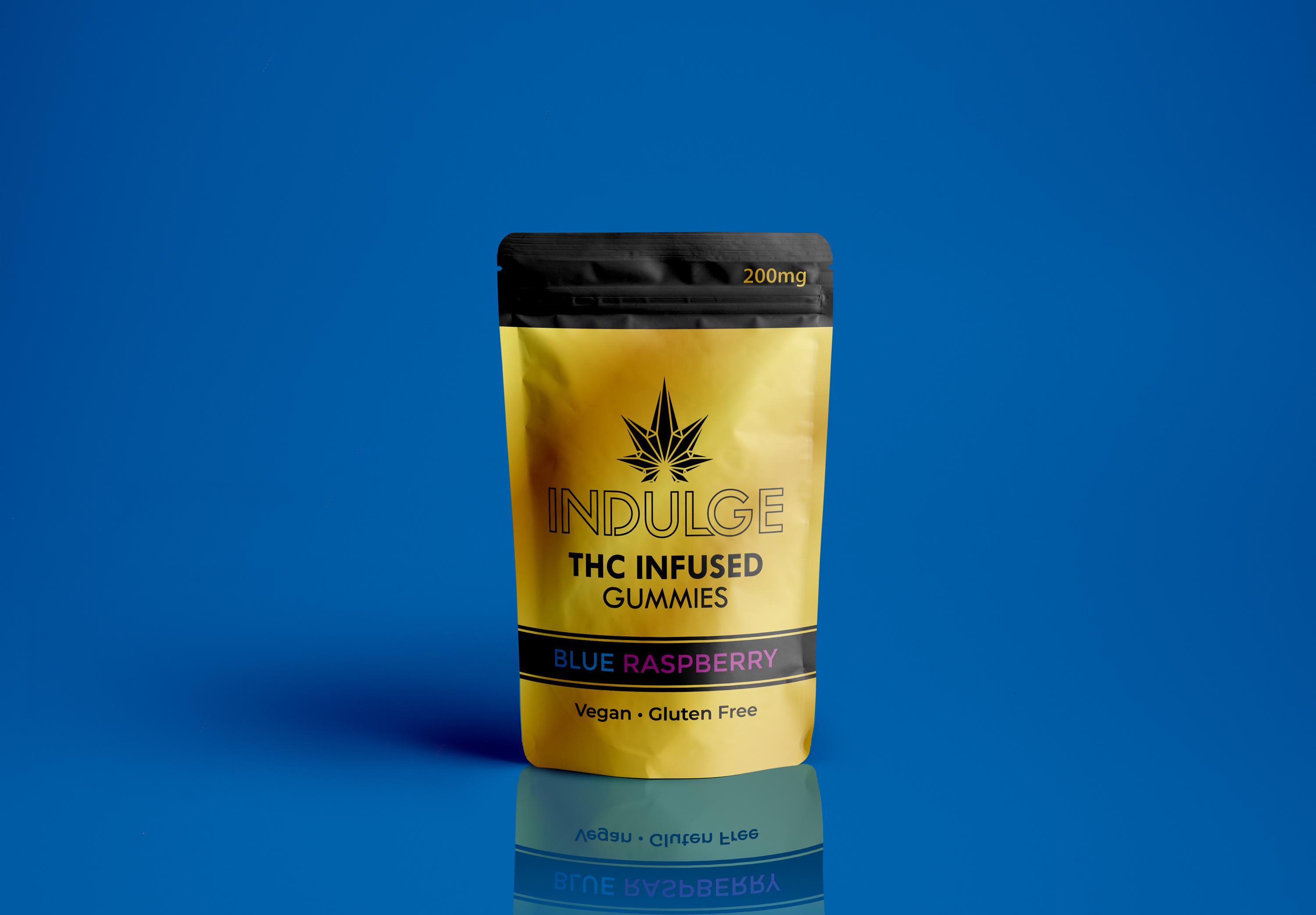 200 MG Blue Raspberry Gummies (Gluten Free & Vegan) 200 MG Blue Raspberry Gummies (Gluten Free & Vegan) | Indulge | Edibles & Ingestibles | $6.00 |
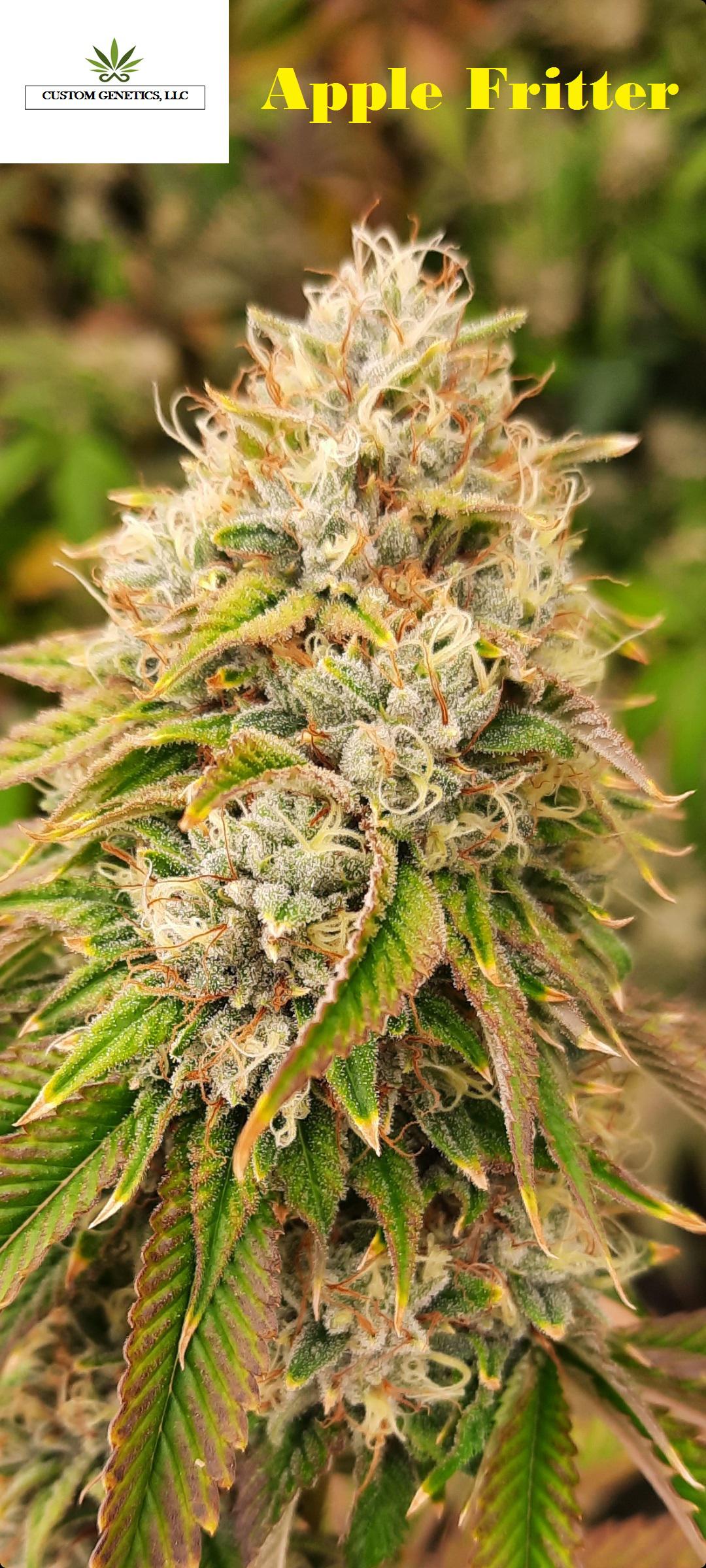 Apple Fritter (24.53% THC)(27.123% THCa) Apple Fritter (24.53% THC)(27.123% THCa) | Custom Genetics | Flower | $1,200.00 |
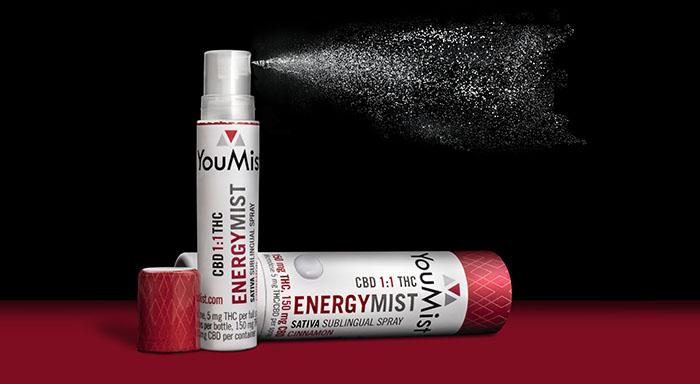 Energy Mist- 150mg THC 150mg CBD edible spray Energy Mist- 150mg THC 150mg CBD edible spray | YouMist | Edibles & Ingestibles | $7.50 |
<script setup lang="ts">
  import { createColumnHelper } from '@packages/vue/src/components/DataTable';
  import DataTable from '@packages/vue/src/components/DataTable/DataTable.vue';
  import type { ProductFixture } from '@packages/vue/src/components/Table/Table.fixtures';
  import { getProducts } from '@packages/vue/src/components/Table/Table.fixtures';
  import { money } from '@packages/vue/src/utils/i18n';
  import { computed, h } from 'vue';

  const products = computed(() => getProducts().slice(0, 25));

  const columnHelper = createColumnHelper<ProductFixture>();

  const columns = [
    columnHelper.accessor('name', {
      header: 'Product Name',
      cell: (info) =>
        h('div', { class: 'flex items-center' }, [
          h('img', { src: info.row.original.featured_image, width: 60, class: 'rounded mr-3' }),
          info.getValue(),
        ]),
      minSize: 300,
    }),
    columnHelper.accessor((row) => row.brand.name, {
      id: 'brand',
      header: 'Brand',
    }),
    columnHelper.accessor((row) => row.category.name, {
      id: 'category',
      header: 'Category',
    }),
    columnHelper.accessor('price_per_unit', {
      header: 'Price per unit',
      cell: (info) => money(info.getValue()),
    }),
  ];
</script>

<template>
  <DataTable :columns="columns" :data="products" />
</template>
Selection
Set is-selectable to add a checkbox column and use TanStack row selection (current page only). Optionally provide get-row-id for stable row IDs (recommended when using selection) and get-row-can-select to disable selection on specific rows. Access selection via a template ref: allPageRowsSelected, somePageRowsSelected, selectedItems, and table (e.g. table.toggleAllPageRowsSelected()). Selection state is owned by the table; clear it when needed (e.g. on pagination) with table.setRowSelection({}).
Selected items: []
Product Name | Brand | Category | Price per unit | Strain | |
|---|---|---|---|---|---|
| Citrus Splash 2x50mg THC Gummies | True North Collective | Edibles & Ingestibles | $2.50 | ||
| Rabbit Hole 1 lb bag | MJ Verdant | Flower | $2,800.00 | Hybrid | |
| THC-A Crystalline Rings | GMO | Kola Farms | Concentrates | $10.00 | ||
| Seed Junky Purple Push Pop 3.5g | Seed Junky | Flower | $20.00 | Hybrid | |
| GUSH-MINTS 19-23% 1.4% TERPENES | Agronomos | Flower | $1,400.00 | Indica Hybrid |
<script setup lang="ts">
  import Box from '@packages/vue/src/components/Box/Box.vue';
  import { createColumnHelper } from '@packages/vue/src/components/DataTable';
  import DataTable from '@packages/vue/src/components/DataTable/DataTable.vue';
  import { getProducts } from '@packages/vue/src/components/Table/Table.fixtures';
  import { money } from '@packages/vue/src/utils/i18n';
  import { computed, useTemplateRef } from 'vue';

  const products = computed(() => getProducts().slice(0, 5));
  const dataTableRef = useTemplateRef('dataTableRef');
  const selectedCount = computed(() => dataTableRef.value?.table.getSelectedRowModel().rows.length ?? 0);
  const selectedItems = computed(
    () => dataTableRef.value?.table.getSelectedRowModel().rows.map((row) => row.original) ?? [],
  );

  type Product = ReturnType<typeof getProducts>[number];
  const columnHelper = createColumnHelper<Product>();

  const columns = [
    columnHelper.accessor('name', {
      header: 'Product Name',
      cell: (info) => info.getValue(),
    }),
    columnHelper.accessor((row) => row.brand.name, {
      id: 'brand',
      header: 'Brand',
    }),
    columnHelper.accessor((row) => row.category.name, {
      id: 'category',
      header: 'Category',
    }),
    columnHelper.accessor('price_per_unit', {
      header: 'Price per unit',
      cell: (info) => money(info.getValue()),
    }),
    columnHelper.accessor('strain_classification', {
      header: 'Strain',
      enableSorting: false,
    }),
  ];
</script>

<template>
  <div class="flex flex-col gap-2">
    <Box>
      Selected items: {{ selectedCount }}<br />
      Selected items: {{ selectedItems.map((item) => item.name) }}
    </Box>
    <DataTable
      ref="dataTableRef"
      :columns="columns"
      :data="products"
      is-selectable
      :get-row-id="(row) => String(row.id)"
      :get-row-can-select="(row) => row.original.id !== 914154"
    />
  </div>
</template>
Expansion
Enable row expansion with is-expandable and get-row-can-expand (return true for rows that can expand). Use the #expansion slot to render custom content; the slot receives { row } (TanStack Row). For hierarchical data, provide get-sub-rows to return child rows; the default expand column then toggles sub-rows. Use hide-expansion-divider to remove the divider between row and expanded content, and has-custom-expand-toggle to hide the default expand column and place the toggle in your own cell.
Product Name | Brand | Category | Price per unit | |
|---|---|---|---|---|
| Citrus Splash 2x50mg THC Gummies | True North Collective | Edibles & Ingestibles | $2.50 | |
| Rabbit Hole 1 lb bag | MJ Verdant | Flower | $2,800.00 | |
| THC-A Crystalline Rings | GMO | Kola Farms | Concentrates | $10.00 | |
| Seed Junky Purple Push Pop 3.5g | Seed Junky | Flower | $20.00 | |
| GUSH-MINTS 19-23% 1.4% TERPENES | Agronomos | Flower | $1,400.00 | |
<script setup lang="ts">
  import { createColumnHelper } from '@packages/vue/src/components/DataTable';
  import DataTable from '@packages/vue/src/components/DataTable/DataTable.vue';
  import { getProducts } from '@packages/vue/src/components/Table/Table.fixtures';
  import { money } from '@packages/vue/src/utils/i18n';
  import { computed, h } from 'vue';

  const products = computed(() => getProducts().slice(0, 5));

  type Product = ReturnType<typeof getProducts>[number];

  const columnHelper = createColumnHelper<Product>();

  const columns = [
    columnHelper.accessor('name', {
      header: 'Product Name',
      cell: (info) =>
        h('div', { class: 'flex items-center' }, [
          h('img', { src: info.row.original.featured_image, width: 60, class: 'rounded mr-3' }),
          info.getValue(),
        ]),
      minSize: 300,
    }),
    columnHelper.accessor((row) => row.brand.name, {
      id: 'brand',
      header: 'Brand',
    }),
    columnHelper.accessor((row) => row.category.name, {
      id: 'category',
      header: 'Category',
    }),
    columnHelper.accessor('price_per_unit', {
      header: 'Price per unit',
      cell: (info) => money(info.getValue()),
    }),
  ];
</script>

<template>
  <DataTable :columns="columns" :data="products" is-expandable :get-row-can-expand="() => true">
    <template #expansion="{ row }">
      <div class="px-6 py-4">
        <p class="font-semibold mb-2">{{ row.original.name }}</p>
        <p class="text-sm text-ice-700">{{ row.original.description }}</p>
        <dl class="mt-3 grid grid-cols-2 gap-x-4 gap-y-1 text-sm">
          <dt class="text-ice-500">SKU</dt>
          <dd>{{ row.original.sku }}</dd>
          <dt class="text-ice-500">Inventory</dt>
          <dd>{{ row.original.inventory }} units</dd>
          <dt class="text-ice-500">Price unit</dt>
          <dd>{{ row.original.display_price_unit }}</dd>
        </dl>
      </div>
    </template>
  </DataTable>
</template>
TIP
The expansion panel is a single full-width cell. Render anything inside: nested tables, forms, charts, or detail panels.
Row accent
get-row-accent-color is a function (row) => StashColorNamesWithShades | undefined. When it returns a color, that row gets a left-edge accent bar (same as Table’s row accent). The minimal example uses it to highlight rows 2 and 4.
Empty and loading states
DataTable forwards Table’s isEmpty, is-loading, empty-state-text, and #empty slot. Set isEmpty when there is no data to show the empty state; use is-loading for loading; use #empty or empty-state-text to customize the empty message.
Product Name | Brand | Category | Price per unit |
|---|---|---|---|
No productsAdd a product to get started. |
<script setup lang="ts">
  import Button from '@packages/vue/src/components/Button/Button.vue';
  import { createColumnHelper } from '@packages/vue/src/components/DataTable';
  import DataTable from '@packages/vue/src/components/DataTable/DataTable.vue';
  import EmptyState from '@packages/vue/src/components/EmptyState/EmptyState.vue';
  import type { getProducts, ProductFixture } from '@packages/vue/src/components/Table/Table.fixtures';
  import { money } from '@packages/vue/src/utils/i18n';
  import { computed } from 'vue';

  const products = computed<ReturnType<typeof getProducts>>(() => []);

  const columnHelper = createColumnHelper<ProductFixture>();

  const columns = [
    columnHelper.accessor('name', { header: 'Product Name' }),
    columnHelper.accessor((row) => row.brand.name, { id: 'brand', header: 'Brand' }),
    columnHelper.accessor((row) => row.category.name, { id: 'category', header: 'Category' }),
    columnHelper.accessor('price_per_unit', {
      header: 'Price per unit',
      cell: (info) => money(info.getValue()),
    }),
  ];
</script>

<template>
  <DataTable :columns="columns" :data="products" :is-empty="products.length === 0">
    <template #empty>
      <EmptyState title="No products" subtitle="Add a product to get started." vignette="orders-empty">
        <template #button>
          <Button>Add product</Button>
        </template>
      </EmptyState>
    </template>
  </DataTable>
</template>
Product Name | Brand | Category | Price per unit |
|---|---|---|---|
<script setup lang="ts">
  import { createColumnHelper } from '@packages/vue/src/components/DataTable';
  import DataTable from '@packages/vue/src/components/DataTable/DataTable.vue';
  import type { ProductFixture } from '@packages/vue/src/components/Table/Table.fixtures';
  import { getProducts } from '@packages/vue/src/components/Table/Table.fixtures';
  import { money } from '@packages/vue/src/utils/i18n';
  import { computed, h } from 'vue';

  const products = computed(() => getProducts().slice(0, 5));

  const columnHelper = createColumnHelper<ProductFixture>();

  const columns = [
    columnHelper.accessor('name', {
      header: 'Product Name',
      cell: (info) =>
        h('div', { class: 'flex items-center' }, [
          h('img', { src: info.row.original.featured_image, width: 60, class: 'rounded mr-3' }),
          info.getValue(),
        ]),
      minSize: 300,
    }),
    columnHelper.accessor((row) => row.brand.name, {
      id: 'brand',
      header: 'Brand',
    }),
    columnHelper.accessor((row) => row.category.name, {
      id: 'category',
      header: 'Category',
    }),
    columnHelper.accessor('price_per_unit', {
      header: 'Price per unit',
      cell: (info) => money(info.getValue()),
    }),
  ];
</script>

<template>
  <DataTable :columns="columns" :data="products" :is-loading="true" />
</template>
With DataView (server-side)
DataTable works inside DataView with variant="table" for server-driven sorting and pagination. TanStack column IDs are matched to DataView sort options. For filters, toolbar, and pagination behavior, see DataView and Table with DataView patterns.
Product Name | Brand | Category | Price per unit | Strain |
|---|---|---|---|---|
No results |
<script setup lang="ts">
  import { createColumnHelper } from '@packages/vue/src/components/DataTable';
  import DataTable from '@packages/vue/src/components/DataTable/DataTable.vue';
  import type { Product } from '@packages/vue/src/components/DataView/DataView.fixtures';
  import { fetchProducts as apiGetProducts } from '@packages/vue/src/components/DataView/DataView.fixtures';
  import DataView from '@packages/vue/src/components/DataView/DataView.vue';
  import DataViewSortButton from '@packages/vue/src/components/DataViewSortButton/DataViewSortButton.vue';
  import DataViewToolbar from '@packages/vue/src/components/DataViewToolbar/DataViewToolbar.vue';
  import { money } from '@packages/vue/src/utils/i18n';
  import { onMounted, ref, useTemplateRef } from 'vue';

  const PAGE_SIZE = 4;

  const sortOptions = [
    { id: 'product_name', labelAsc: 'Product Name (A-Z)', labelDesc: 'Product Name (Z-A)' },
    { id: 'category_name', labelAsc: 'Category Name (A-Z)', labelDesc: 'Category Name (Z-A)' },
    {
      id: 'price_per_unit_amount',
      labelAsc: 'Price Per Unit (Low to High)',
      labelDesc: 'Price Per Unit (High to Low)',
    },
    { id: 'strain_classification', labelAsc: 'Strain (A-Z)', labelDesc: 'Strain (Z-A)' },
  ];

  const columnHelper = createColumnHelper<Product>();
  const columns = [
    columnHelper.accessor('name', {
      id: 'product_name',
      header: 'Product Name',
      cell: (info) => info.getValue(),
    }),
    columnHelper.accessor((row) => row.brand.name, {
      id: 'brand',
      header: 'Brand',
      enableSorting: false,
    }),
    columnHelper.accessor((row) => row.category.name, {
      id: 'category_name',
      header: 'Category',
    }),
    columnHelper.accessor((row) => row.price_per_unit, {
      id: 'price_per_unit_amount',
      header: 'Price per unit',
      cell: (info) => money(info.getValue()),
    }),
    columnHelper.accessor('strain_classification', {
      id: 'strain_classification',
      header: 'Strain',
    }),
  ];

  const dataViewRef = useTemplateRef('dataViewRef');
  const products = ref<Product[]>([]);
  const isLoadingProducts = ref(false);
  const totalProductCount = ref(0);

  async function fetchProducts() {
    if (!dataViewRef.value || isLoadingProducts.value) {
      return;
    }

    try {
      isLoadingProducts.value = true;

      const response = await apiGetProducts({
        params: {
          page: dataViewRef.value.page || 1,
          pageSize: dataViewRef.value.pageSize || PAGE_SIZE,
          ordering: dataViewRef.value.ordering,
          search: dataViewRef.value.search,
        },
      });

      products.value = response.results;
      totalProductCount.value = response.count;
    } finally {
      isLoadingProducts.value = false;
    }
  }

  onMounted(() => {
    void fetchProducts();
  });
</script>

<template>
  <DataView
    ref="dataViewRef"
    variant="table"
    :data="products"
    :page-size="PAGE_SIZE"
    :total-data-count="totalProductCount"
    :is-loading="isLoadingProducts"
    :is-empty="products.length === 0"
    @update="fetchProducts"
  >
    <DataViewToolbar>
      <DataViewSortButton :sort-options="sortOptions" />
    </DataViewToolbar>

    <DataTable :columns="columns" :data="products" />
  </DataView>
</template>
DataView + DataTable with selection
Use is-selectable with a ref to the DataTable and bind the toolbar’s selection props to the exposed allPageRowsSelected, somePageRowsSelected, and selectedItems. Handle the toolbar’s @select with table.toggleAllPageRowsSelected(). Clear selection when data or page changes (e.g. table.setRowSelection({})) so the toolbar stays in sync. See DataView + DataTable with selection for the full example.
Product Name | Brand | Category | Price per unit | Strain | |
|---|---|---|---|---|---|
No results |
<script setup lang="ts">
  import { createColumnHelper } from '@packages/vue/src/components/DataTable';
  import DataTable from '@packages/vue/src/components/DataTable/DataTable.vue';
  import type { Product } from '@packages/vue/src/components/DataView/DataView.fixtures';
  import { fetchProducts as apiGetProducts } from '@packages/vue/src/components/DataView/DataView.fixtures';
  import DataView from '@packages/vue/src/components/DataView/DataView.vue';
  import DataViewSortButton from '@packages/vue/src/components/DataViewSortButton/DataViewSortButton.vue';
  import DataViewToolbar from '@packages/vue/src/components/DataViewToolbar/DataViewToolbar.vue';
  import { money } from '@packages/vue/src/utils/i18n';
  import { computed, onMounted, ref, useTemplateRef } from 'vue';

  const PAGE_SIZE = 4;

  const sortOptions = [
    { id: 'product_name', labelAsc: 'Product Name (A-Z)', labelDesc: 'Product Name (Z-A)' },
    { id: 'category_name', labelAsc: 'Category Name (A-Z)', labelDesc: 'Category Name (Z-A)' },
    {
      id: 'price_per_unit_amount',
      labelAsc: 'Price Per Unit (Low to High)',
      labelDesc: 'Price Per Unit (High to Low)',
    },
    { id: 'strain_classification', labelAsc: 'Strain (A-Z)', labelDesc: 'Strain (Z-A)' },
  ];

  const columnHelper = createColumnHelper<Product>();
  const columns = [
    columnHelper.accessor('name', {
      id: 'product_name',
      header: 'Product Name',
      cell: (info) => info.getValue(),
    }),
    columnHelper.accessor((row) => row.brand.name, {
      id: 'brand',
      header: 'Brand',
      enableSorting: false,
    }),
    columnHelper.accessor((row) => row.category.name, {
      id: 'category_name',
      header: 'Category',
    }),
    columnHelper.accessor((row) => row.price_per_unit, {
      id: 'price_per_unit_amount',
      header: 'Price per unit',
      cell: (info) => money(info.getValue()),
    }),
    columnHelper.accessor('strain_classification', {
      id: 'strain_classification',
      header: 'Strain',
    }),
  ];

  const dataViewRef = useTemplateRef('dataViewRef');
  const dataTableRef = useTemplateRef('dataTableRef');
  const products = ref<Product[]>([]);
  const isLoadingProducts = ref(false);
  const totalProductCount = ref(0);

  const allRowsSelected = computed(() => dataTableRef.value?.allPageRowsSelected);
  const someRowsSelected = computed(() => dataTableRef.value?.somePageRowsSelected);
  const selectedItemsCount = computed(() => dataTableRef.value?.selectedItems?.length ?? 0);

  function onToolbarSelect() {
    dataTableRef.value?.table.toggleAllPageRowsSelected();
  }

  async function fetchProducts() {
    if (!dataViewRef.value || isLoadingProducts.value) {
      return;
    }

    try {
      isLoadingProducts.value = true;

      const response = await apiGetProducts({
        params: {
          page: dataViewRef.value.page || 1,
          pageSize: dataViewRef.value.pageSize || PAGE_SIZE,
          ordering: dataViewRef.value.ordering,
          search: dataViewRef.value.search,
        },
      });

      products.value = response.results;
      totalProductCount.value = response.count;
      dataTableRef.value?.table.setRowSelection({});
    } finally {
      isLoadingProducts.value = false;
    }
  }

  onMounted(() => {
    void fetchProducts();
  });
</script>

<template>
  <DataView
    ref="dataViewRef"
    variant="table"
    :data="products"
    :page-size="PAGE_SIZE"
    :total-data-count="totalProductCount"
    :is-loading="isLoadingProducts"
    :is-empty="products.length === 0"
    @update="fetchProducts"
  >
    <DataViewToolbar
      :all-rows-selected="allRowsSelected"
      :some-rows-selected="someRowsSelected"
      :selected-items-count="selectedItemsCount"
      @select="onToolbarSelect"
    >
      <DataViewSortButton :sort-options="sortOptions" />
    </DataViewToolbar>

    <DataTable
      ref="dataTableRef"
      :columns="columns"
      :data="products"
      is-selectable
      :get-row-id="(row) => String(row.id)"
    />
  </DataView>
</template>
useDataTable composable
DataTable is built on the useDataTable composable, which creates the TanStack table instance and switches between client-side and server-side behavior when used inside DataView. The composable is exported from @leaflink/stash-vue/DataTable for advanced cases (e.g. custom table markup with TanStack state). For most use cases, use the DataTable component rather than the composable directly. See useDataTable for details.
API
See the documentation below for a complete reference to the props and APIs of the components used by DataTable.